The Only SD Card Buying Guide You Need in 2026 (Stop Overpaying for the Wrong Card)

0Shares

Some links on this website are affiliate links which means we may earn a small commission – at no extra cost to you. Learn how it works.

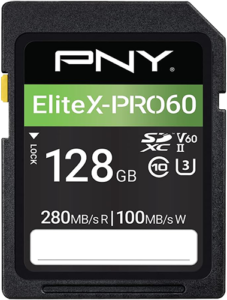
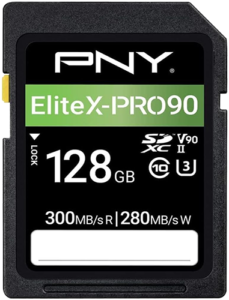
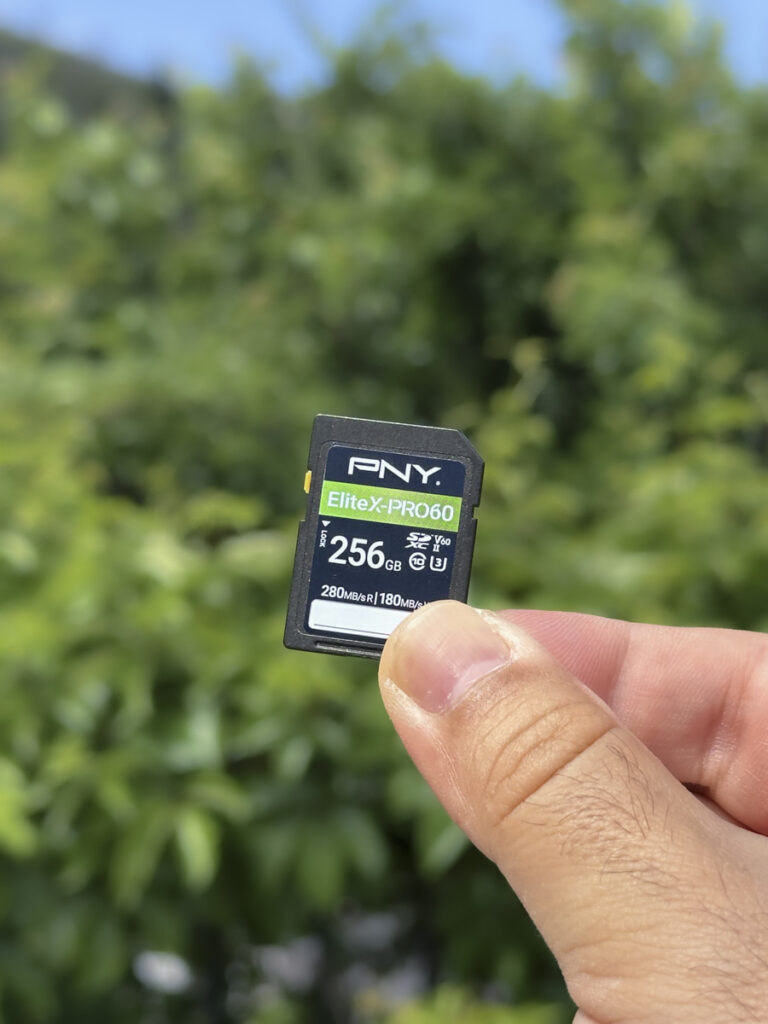
I picked up this PNY SD card on Amazon during a Black Friday deal for about $60 (€52), which felt like a pretty good price. In May 2026 it costs $179.99!

SD Card prices have tripled.. sometimes quadrupled! And most people are still buying the wrong memory card for what they actually shoot.

I made this simple sd card buying guide in 2026 to end that. Whether you’re a travel creator packing light, a wildlife photographer chasing burst shots, or a videographer pushing 4K and 8K footage, you will know exactly what to buy, what to skip, and why, before you spend a dollar.

Table of Contents

Why SD Card Prices Exploded in 2026

My personal experience

I’ve been using PNY SD cards and data storage products since 2020 across my photography work, and over the years they’ve been consistently reliable for me. I’ve shot thousands of photos, transferred countless files, and thankfully never had one fail on me.

One thing I’ve noticed recently, though… prices have changed a lot.

The 256GB PNY EliteX-Pro V60 that used to sell for around $60 is now sitting closer to $180. If you’ve been looking at SD card prices lately and thought something felt off, it’s not just you.

That’s one of the reasons I wanted to put this guide together, to help make sense of what’s actually worth buying in 2026.

Why prices are so high?

A mix of NAND flash shortages, manufacturers shifting production priorities, and growing demand across AI infrastructure and high-capacity storage has pushed memory prices sharply upward. Over the past year, SD cards and storage products that once felt affordable have suddenly become much more expensive.

That makes choosing the right SD Card more important than ever. Buy a card that’s too slow, and you might end up paying twice: once for the wrong purchase, and again when you inevitably have to replace it.

The good news? Once you understand what all those numbers actually mean, finding the sweet spot between performance and value becomes a lot easier.

What All Those Numbers and Letters Actually Mean

Before you look at a single price or product, you need to speak the language. Here is everything decoded, in plain English.

Speed Classes Explained

SD cards carry a “Video Speed Class” rating. This is the minimum guaranteed sustained write speed.

That word “sustained” matters enormously for video recording because the camera needs to write data continuously without dropping frames.

The three classes you will encounter most are:

  • V30 guarantees a minimum of 30 MB/s write speed. This is the baseline for modern video work.
  • V60 guarantees a minimum of 60 MB/s write speed. This is the sweet spot for serious content creators and most professional work in 2026.
  • V90 guarantees a minimum of 90 MB/s write speed. This is for demanding 8K, high-bitrate RAW video, and cameras that push data exceptionally hard.

UHS-I vs UHS-II: The Bus Speed Difference

This is the physical interface your card uses to communicate with your camera.

  • UHS-I has a maximum theoretical bus speed of 104 MB/s. Most V30 cards are UHS-I. These work in every SD card slot, from budget mirrorless cameras to professional bodies.
  • UHS-II has a maximum theoretical bus speed of 312 MB/s. These cards have a second row of pins on the back. They only reach their full potential in cameras with a UHS-II slot.

If your camera only has a UHS-I slot, a UHS-II card will work but will be capped at UHS-I speeds.

The key takeaway: always check your camera’s slot type before buying any memory card!!!

How Mbps Translates to MB/s on Your Card

This is where a lot of photographers and videographers get confused, and it matters for choosing the right card.

Video bitrate is measured in megabits per second (Mbps).

Your card’s write speed is measured in megabytes per second (MB/s).

The conversion is simple:

Bitrate to card write speed — divide by 8
Video Bitrate Formula MB/s Written to Card
50 Mbps ÷ 8 6.25 MB/s
100 Mbps ÷ 8 12.5 MB/s
200 Mbps ÷ 8 25 MB/s
400 Mbps ÷ 8 50 MB/s
800 Mbps ÷ 8 100 MB/s

What this means in practice: if you are shooting 4K at 200 Mbps, your camera is writing 25 MB/s to that card.

A V30 SD Card at 30 MB/s handles that with headroom.

A V60 SD Card handles it comfortably at nearly 2.5 times the required speed.

The Four Buyer Categories

Every photographer and videographer falls into one of these four categories. Find yours, then skip straight to the recommendation.

Category 1: The Everyday Photographer (Photos Only or Light Video)

Recommended SD Card Spec: V30 / UHS-I / 64GB to 256GB

Who is this for: Travel photographers, street photographers, portrait shooters, hobbyists, anyone shooting primarily JPEGs or moderate-burst RAW images. You are not recording long video clips. You shoot, you chimp, you move on.

What you need: You do not need buffer clearance speed. You need reliability, good read speeds for fast card-to-computer transfers, and a reasonable write speed to keep up with burst shooting. V30 UHS-I is genuinely sufficient here.

The number that matters: Read speed. Fast reads mean your images transfer to your laptop quickly during editing. A 100 MB/s read card vs a 200 MB/s read card makes a noticeable difference when moving 500 RAW files.

Video recording: Is V30 enough for video too? Yes, with conditions. At bitrates up to 200 Mbps (25 MB/s), a quality V30 card will record without issue. Most travel vloggers shooting 1080p or entry-level 4K at 24p or 30p and up to 150 Mbps will have zero problems with a V30 SD Card.

Limitations: Where V30 shows its limit is with longer continuous 4K recordings at higher bitrates, slow motion 120-240p, or any camera that uses ALL-I (All-Intra) codecs where every frame is independently compressed and file sizes balloon.

Category 2: The Content Creator and Travel Videographer

Recommended SD Card Spec: V60 / UHS-II / 128GB to 512GB

Who is this for: YouTube creators, Instagram Reels and TikTok shooters, travel filmmakers, drone operators recording 4K. You are recording video regularly, sometimes for 30 to 60 minutes at a time. Your camera might be a Sony FX30, a Canon R6 V, or Nikon Zf, etc. 

What you need: A card that handles sustained 4K recording without overheating or buffering. V60 UHS-II is the go-to recommendation here and it delivers headroom to grow as your cameras improve.

The number that matters: Sustained write speed under load. Not peak speed from the spec sheet. Real-world sustained speed. A V60 SD Card with UHS-II provides up to 200MB/s write speeds!

Category 3: The Wildlife and Sports Photographer

Recommended SD Card Spec: V60 or V90 / UHS-II / 256GB+

Who is this for: Bird photographers with 30fps burst modes, sports shooters, wildlife documentary makers. You are filling the camera buffer constantly and you need the card to drain it fast so the camera is ready for the next sequence.

What you need: Raw write speed to clear the buffer. This is actually where you need to look beyond V rating and look at the card’s actual peak write speeds. An SD Card marketed as V60 might have a peak write of 120 MB/s. Another V60 SD Card might peak at 200 MB/s. For buffer clearance in burst shooting, that difference is enormous.

The number that matters: Peak write speed and UHS bus type. A UHS-II V60 card with 200 MB/s+ peak write speed is dramatically better for burst shooting than a UHS-I V60 at 90 MB/s.

Category 4: The Professional Videographer (4K RAW / 8K / Cinema)

Recommended SD Card Spec: V90 / UHS-II / 256GB to 1TB, or CFexpress Type A or B.

Who is this for: Commercial directors, documentary filmmakers, event cinematographers, RED/ARRI/Sony FX operators. You are recording RAW video, long takes, multiple cameras, and your clients cannot afford a failed take.

What you need: V90 is the minimum recommendation. You are likely also looking at CFexpress at this level.

The number that matters: All of them. Write speed, read speed, endurance rating (TBW), and the card brand’s track record for reliability.

CFexpress Cards Explained: Type A vs Type B

CFexpress is a completely different card format. It is not an SD card. It uses the PCIe interface, which is the same technology used in desktop SSDs, and it is dramatically faster.

  • CFexpress Type A is physically small, close to an SD card in size. Sony was the early champion of this format. Cameras like the Sony A7 V, A7S III, and FX3 use Type A slots. Read speeds can exceed 800 MB/s. These are designed for high-end mirrorless video work.
  • CFexpress Type B is the larger format, used in Canon R3, Canon R5 II, Nikon Z9, and many cinema cameras. Peak read speeds can reach 1700 MB/s. This is true cinema-grade media for 8K RAW, high-frame-rate, and heavy codec work.

Should you buy CFexpress?

Only if your camera supports it and you are genuinely pushing bitrates that exceed what V90 UHS-II SD can handle. CFexpress is significantly more expensive per gigabyte. For most creators, a V60 or V90 UHS-II SD card is the right choice in 2026.

Card Format Comparison

Card format comparison — speed, fit, and best use
Format Max Read / Min Write Camera Fit Best For
SD V30 UHS-I ~104 MB/s read
30 MB/s write (min)
Universal Photos, light video
SD V60 UHS-II ~280 MB/s read
60 MB/s write (min)
Most modern cameras 4K video, burst shooting
SD V90 UHS-II ~300 MB/s read
90 MB/s write (min)
High-end mirrorless 4K/8K high bitrate, RAW
CFexpress Type A ~800 MB/s read
~700 MB/s write
Sony bodies Cinema 4K/8K on Sony
CFexpress Type B ~1700 MB/s read
~1500 MB/s write
Canon R3, Nikon Z9 8K RAW, cinema

Storage Size: How Much Do You Actually Need?

Here is a quick reference based on real-world file sizes.

  • JPEG / HEIF photos (average 15 to 25 MB per file)
    A 128GB card holds roughly 4,800 to 7,900 photos. A 256GB card holds roughly 9,500 to 15,800 photos. Most day shooters are fine with 128GB or 256GB depending on volume.

  • RAW photos (average 30 to 80 MB per file depending on camera)
    A 128GB card holds roughly 1,500 to 4,000 RAW files. A 256GB card holds roughly 3,000 to 7,900 RAW files. High burst or high-resolution shooters usually prefer 256GB or larger.

  • 4K Video at 100 Mbps (about 45 GB per hour of footage)
    A 128GB card gives you about 2.5 to 2.7 hours. A 256GB card gives you about 5 to 5.5 hours.

  • 4K Video at 400 Mbps (about 180 GB per hour of footage)
    A 128GB card gives you about 40 minutes. A 256GB card gives you about 1.2 to 1.3 hours.

  • 8K Video at 800 Mbps (about 360 GB per hour of footage)
    A 128GB card gives you about 20 minutes. A 256GB card gives you about 40 minutes. A 512GB card gives you about 1.3 to 1.4 hours.

SD Card Comparison by Use Case

What card do you need — by use case
Use Case Minimum Recommended Storage
Travel photos (JPEG) V30 UHS-I V30 UHS-I 128GB
Travel photos (RAW) V30 UHS-I V60 UHS-I 256GB
Vlogging 1080p V30 UHS-I V30 UHS-I 128GB
4K at 100 Mbps V30 UHS-I V60 UHS-II 256GB
4K at 200 Mbps V30 UHS-I V60 UHS-II 256GB – 512GB
4K at 400 Mbps V60 UHS-II V90 UHS-II 512GB
Wildlife burst RAW V60 UHS-II V60 UHS-II 256GB+
Sports burst RAW V60 UHS-II V60 – V90 UHS-II 256GB+
6K / 8K RAW video V90 UHS-II CFexpress 512GB – 1TB

The PNY V60 in 2026: Is It Still Worth It at $180?

The PNY Elite-X V60 256GB was one of the best-value V60 cards in 2025. At around $60 it was an easy recommendation. At $179.99 today, it needs more consideration, but for most creators it still makes sense.

Here’s why:

  • It’s a true UHS-II V60 card, which means it’s built for sustained performance, not just peak speeds
  • With around 180 MB/s sustained write and up to 280 MB/s read speed (256GB version), it comfortably handles 4K video workflows without slowing you down.

The price increase isn’t specific to PNY. It’s part of a wider jump across brands like Sony, ProGrade, and Delkin, so the value gap hasn’t really changed, everything moved together.

The simple rule in 2026 is this: don’t cut corners on your SD card. Saving a small amount isn’t worth the risk of losing an entire shoot.

PNY Elite-X V60 256GB — then vs now
Detail 2025 Price 2026 Price Change
PNY Elite-X V60 256GB ~$65 $179.99 +177%
Cost per GB $0.25/GB $0.70/GB +180%
Still worth buying in 2026? Yes — market-wide pricing, not brand-specific

Buying Recommendations by Budget

Budget Tier
v30 from $35

Best for: V30 SD Cards are best suited for everyday photography like travel, street, portraits, and light burst shooting, along with video work such as Full HD recording, basic 4K at lower bitrates, and casual content creation.

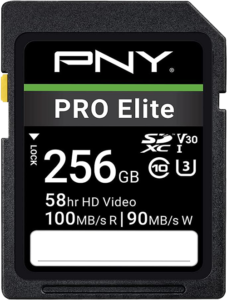
PNY Pro v30

More info ->
UHS-I

Read 280MB/s Write 100MB/s
Buy on Amazon

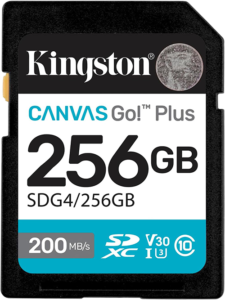
Kingston v30

More info ->

UHS-I

Read 200MB/s Write 120MB/s
Buy on Amazon

Samsung v30

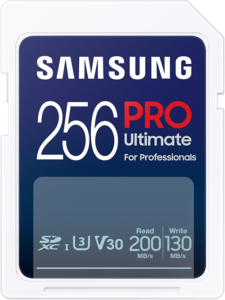
More info ->

UHS-I

Read 200MB/s Write 130MB/s
Buy on Amazon

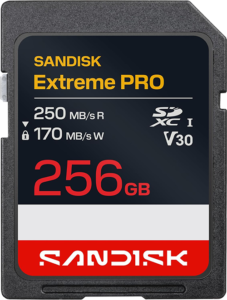
Sandisk v30

More info ->

UHS-I

Read 250MB/s Write 170MB/s
Buy on Amazon

Mid-Range Tier
v60 from $56

Best for: V60 SD Cards are aimed at more demanding photography including wildlife, birds, sports, weddings, and events, as well as video work like high-bitrate 4K recording, hybrid photo-video workflows, and run-and-gun filmmaking.

PNY Pro v60

More info ->

UHS-II

Read 280MB/s Write 100MB/s
Buy on Amazon

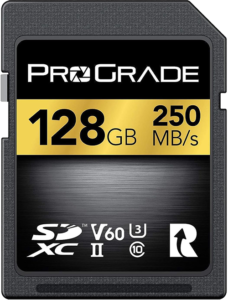
Pro Grade v60

More info ->

UHS-II

Read 250MB/s Write 130MB/s
Buy on Amazon

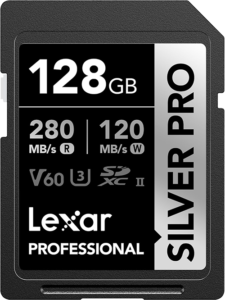
Lexar Pro v60

More info ->

UHS-II

Read 280MB/s Write 120MB/s
Buy on Amazon

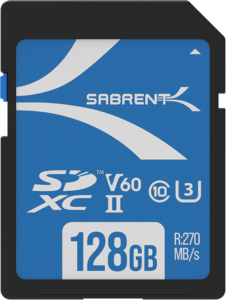
Sabrent v60

More info ->

UHS-II

Read 270MB/s Write 170MB/s
Buy on Amazon

Professional Tier
v90 from $138

Best for: V90 SD Cards are designed for professional photography such as fast-action wildlife, sports, heavy continuous burst shooting, and high-resolution commercial work, alongside video use cases like 4K high frame rate recording, 6K workflows depending on the camera, LOG recording, and more advanced cinema-style production.

PNY Pro v90

More info ->

UHS-II

Read 300MB/s Write 280MB/s
Buy on Amazon

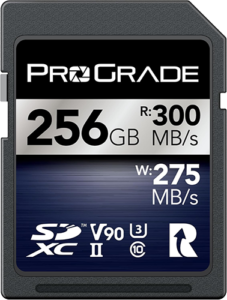
Pro Grade v90

More info ->

UHS-II

Read 300MB/s Write 275MB/s
Buy on Amazon

Sabrent v90

More info ->

UHS-II

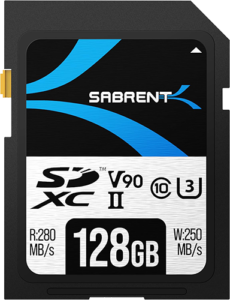
Read 280MB/s Write 250MB/s
Buy on Amazon

Sandisk v90

More info ->

UHS-II

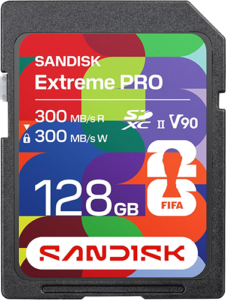
Read 300MB/s Write 300MB/s
Buy on Amazon

Cinema Tier: $200 and up

CFexpress Type A or Type B depending on your camera system. Angelbird, ProGrade, and Sony lead this category. At this level you are paying for PCIe-level performance and the peace of mind that comes from cards tested to cinema production standards.

Best for: Cinema shooters, 8K operators, RAW video professionals

CFexpress Cards
Type A or B

Best for: CFexpress cards are built for the most extreme photography needs including ultra-fast burst shooting on high-resolution cameras and professional sports or wildlife work, as well as high-end video production like 6K and 8K RAW recording and cinema-level workflows.

PNY Pro v90

More info ->

UHS-II

Read 300MB/s Write 280MB/s
Buy on Amazon

Pro Grade v90

More info ->

UHS-II

Read 300MB/s Write 275MB/s
Buy on Amazon

Lexar Pro v90

More info ->

UHS-II

Read 280MB/s Write 250MB/s
Buy on Amazon

Sabrent v90

More info ->

UHS-II

Read 300MB/s Write 300MB/s
Buy on Amazon

Quick Reference: Before You Buy, Check These Three Things

  1. What is the UHS slot type on your camera body? (UHS-I or UHS-II) Check your camera manual. A UHS-II card in a UHS-I slot will work but will never exceed UHS-I speeds.
  2. What is the maximum bitrate your camera records at? Divide that number by 8 to get MB/s, then buy a card with a sustained write speed at least 20 to 30 percent above that number for headroom.
  3. For burst photography, don’t rely only on V ratings or peak speed numbers. The V rating shows minimum sustained performance, but real-world burst speed depends on how well the card maintains that speed after the buffer fills. In most cases, a reliable V60 UHS-II card with consistent sustained performance matters more than high peak MB/s claims.

Final Word

The SD card market in 2026 is expensive and confusing by design. Manufacturers publish peak speeds that rarely reflect real-world use. Marketing badges overlap in ways that are meant to impress rather than inform.

Cut through it with three questions: What does your camera support? What bitrate do you record at? Do you need buffer clearance? Answer those three questions, match them to the categories above, and you will buy exactly the right card for exactly what you shoot, without paying for performance you will never use.

Disclaimer: SD card prices mentioned in this guide reflect typical market conditions at the time of writing and can vary significantly by region, retailer, and availability. Storage pricing is volatile and may change without notice. All recommendations are based on personal experience and general market research, not paid sponsorships. Performance opinions are based on real-world use cases and may vary depending on camera model, settings, and workflow.

0Shares